The people who use AI well in their business are often not the ones who code. They are the ones who can say clearly what they want.
If you have been holding back because you think you need to learn to code first, you can stop. You do not. Not to start, and not to get real work done.
What you need instead
Three things, and none of them is code.
A clear task. "Help with my business" is too vague. "Write a polite reminder to a client who has not paid" is clear. The sharper the task, the better the result.
Plain words. You talk to the tool the way you would talk to a new assistant. Say what you want, who it is for, and what it should sound like.
Patience to test. The first result is a start. You read it, fix it, and try again.
That is the whole skill. Notice there is no code in it.
Where code does show up
Code comes in when you want to connect several tools so they work together on their own. For example, a message arrives in one app, gets checked, and triggers a reply in another.
Even then, many people build these with visual tools where you connect steps instead of writing code. If you are a builder who already uses a tool like n8n, that is where the Blueprint fits. If you have never used one, you do not need it to start.
A fair picture of the Starter Kit
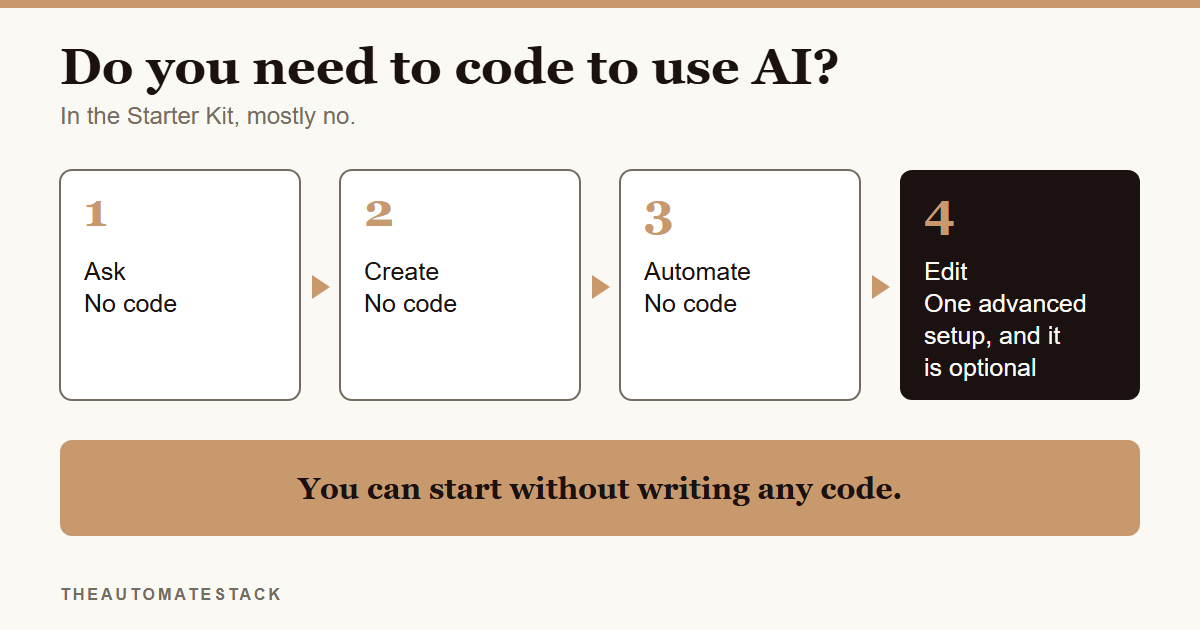
The Starter Kit is built for people who are not technical. It has four layers: Ask, Create, Automate and Edit. Layers 1 to 3 need no code. Layer 4 has one advanced setup, and it is optional.
Each setup is written out step by step, with the prompt included and a test checklist, so you are never staring at a blank screen.
Say you have never touched any of this
Say you run a small tailoring business. You answer the same questions in your messages all day. You do not code and you do not plan to.
You can start by writing down the five questions you get most, and your answer to each. Then you ask an AI tool to turn each answer into a short, friendly reply in your voice. That is it. No code. You read the replies, fix the ones that do not sound like you, and keep them.
What about cost?
Some setups need a paid tool. That is normal. The better kits tell you what each setup needs before you start, and put the free options first where they exist. Look for that before you commit, so you are never surprised halfway through.
The steps
- Pick one small task. Not your whole business. One task.
- Write what you want in plain words. Who it is for, what it should do, how it should sound.
- Try it in an AI tool. Read what comes back.
- Fix what is wrong. Change the words you gave it, and try again.
- Test it with real, messy examples. Typos, half sentences, odd requests.
- Add the next task only when this one works.
If you want a worksheet for finding your first task, start with the free Checklist. If you want ready-made setups, look at the Starter Kit.
You do not need to learn code to begin. You need to begin.